
How Do You Run a California Business Entity Search the Right Way?
Checking a company’s legal status in California used to mean phone calls, waiting rooms, and guesswork. Not anymore. A California business entity search now takes less than a minute through the Secretary of State’s free public portal, and it instantly tells you whether a business is real, active, and properly registered. Whether you’re hiring a contractor, vetting a vendor, or protecting your own brand name, this single search puts the truth in front of you in seconds.
What Is a California Business Entity Search and Why Does It Matter?
A California business entity search is an official lookup into the state’s business registry. It pulls real, government-verified records on every corporation, LLC, limited partnership, and registered entity operating in California.
The California Secretary of State maintains this registry, and the records come directly from filings each business submitted when it formed, renamed, or changed its status. That means the data isn’t scraped from a third-party directory — it comes straight from the source.
People run this search for very practical reasons:
- Confirming a company is legally registered before signing a contract
- Checking if a business name is taken before filing your own
- Verifying a vendor, landlord, or franchise partner is in good standing
- Looking up a registered agent for legal service of process
- Researching a company’s filing history before a partnership or investment
Skipping this step is a common, costly mistake. A business name on a website or invoice tells you nothing about whether that company legally exists.
Where Do You Go to Search Business Entities in California?
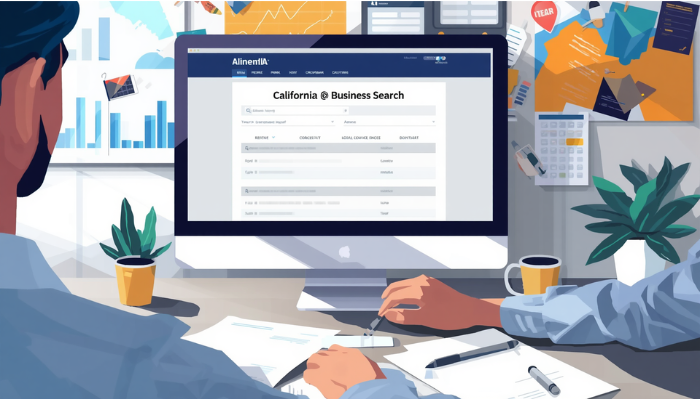
The California Secretary of State runs the official online business services portal where searches are performed. The current platform, known as biz file Online, replaced the older system and now handles both entity searches and filings in one place.
This is the only source you should trust for an official California business entity search. Third-party sites may repackage this same data, sometimes with delays, errors, or hidden fees attached. The state’s own portal lets you search more than 17 million business entity records by name, entity number, status, or filing date, completely free.
Always confirm you’re on a .gov domain before entering any search. Scam sites mimicking government look and feel are common, and the Secretary of State’s office has issued direct warnings about this exact problem.
How Do You Actually Perform a Business Entity Search in California Step by Step?
The process is simpler than most people expect. Here’s the exact path:
- Go to the official California Secretary of State business search page.
- Choose between a basic search or an advanced search.
- For a basic search, type the business name or its filing number into the search bar.
- Click the magnifying glass icon to run the query.
- Review the results list, which shows entity name, number, status, and type.
- Click on the specific entity to view full filing details, including registered agent and address.
The basic search method allows you to enter either an exact entity name or the entity’s filing number, and this defaults to showing active entities along with core details like status, formation date, and entity type.
If your first search returns too many results or nothing useful, the advanced option gives you more control.
What Does the Advanced Search Option Let You Do Differently?
Advanced search exists because business names overlap constantly. Hundreds of companies might contain the word “Pacific” or “Golden State,” and a basic search alone won’t cut through that noise.
The advanced search tool lets you apply filters such as entity type, status, and filing date range to narrow your results to exactly what you need. This becomes essential when:
- You’re searching a common or generic business name
- You only remember part of the name
- You need to filter specifically for LLCs versus corporations
- You’re trying to find inactive or dissolved entities, not just active ones
Use advanced filters whenever a simple keyword search returns dozens of unrelated matches.
What Information Will a Business Entity Search Actually Show You?
A completed search reveals far more than just “yes, this company exists.” The detail page typically includes:
| Data Field | What It Tells You |
|---|---|
| Entity Name | The legal, registered name on file |
| Entity Number | A unique state-issued identifier |
| Entity Type | LLC, corporation, limited partnership, etc. |
| Status | Active, suspended, dissolved, or forfeited |
| Formation Date | When the entity was first registered |
| Jurisdiction | Where the entity was originally formed |
| Registered Agent | The person or company authorized to receive legal documents |
| Principal Address | The business’s official address on file |
| Filing History | Statements of Information and other submitted documents |
This table alone answers most of the questions people search for: is the company real, is it currently allowed to operate, and who do you contact if there’s a legal matter.
Why Does Entity Status Matter More Than People Realize?
Status is the single most important field on the entire record, yet it’s the one most people skim past. An entity’s status tells you whether it’s legally permitted to do business right now — not just whether it once existed.
Common statuses include:
- Active – currently in good standing with the Secretary of State
- Suspended – has lost certain legal rights, often due to non-compliance
- Forfeited – lost its right to do business, frequently for failing required filings
- Dissolved – formally closed and no longer operating
Here’s the part most guides leave out: a company can show “Active” with the Secretary of State while owing back taxes elsewhere. California runs a dual-agency system where the Secretary of State and the Franchise Tax Board independently track business status, so an entity can look active with the SOS while being suspended by the Franchise Tax Board for unpaid taxes.
This single fact changes how you should read every search result. SOS status answers “did this business file its required paperwork.” It does not answer “does this business owe money to the state.”
How Does the Franchise Tax Board Affect a Business You’re Researching?
Every California LLC, corporation, limited partnership, and limited liability partnership owes an $800 minimum annual franchise tax to the Franchise Tax Board, and LLCs earning over $250,000 in California-source income owe an additional fee that can reach $11,790. None of this tax information shows up inside the standard Secretary of State search.
If you’re vetting a business partner, landlord, or vendor, the Secretary of State search is your starting point, not your finish line. A genuinely thorough check includes confirming Franchise Tax Board standing separately, especially before signing any contract with financial obligations attached.
This two-track system is unusual. Most states fold tax compliance and entity registration into a single status. California splits them, which is exactly why relying on one search alone can leave a serious blind spot.
What’s the Difference Between Searching by Name Versus Filing Number?
Both methods pull from the same database, but they behave differently in practice.
Searching by name works well when:
- You know the exact or close-to-exact business name
- You’re checking name availability before forming your own entity
- You want to browse multiple similarly named businesses
Searching by filing number works better when:
- You already have official paperwork referencing the entity number
- You need a guaranteed, unique match with zero ambiguity
- You’re verifying a specific entity for legal or compliance purposes
If you have the filing number, use it. It removes all guesswork instantly and pulls the exact record every time.
What Common Mistakes Trip People Up During a Search?
A few recurring errors cause people to give up or draw the wrong conclusion:
- Searching only one exact spelling and missing abbreviations, spacing, or punctuation differences
- Assuming the entity search also covers trademarks, service marks, or county fictitious business names — it does not
- Forgetting that recently filed changes may not appear immediately due to processing delays
- Confusing “Active” status with full legal good standing
- Giving up after one search instead of trying name variations
If your first search comes back empty, try shortening the name to its core distinctive word and dropping suffixes like “LLC,” “Inc.,” or “Corp.” Entity ending words are rarely the unique part of a business name.
How Do You Search for a Specific Business Type Like an LLC or Nonprofit?
The advanced search filters let you narrow results to a specific entity type, which saves enormous time when researching common name patterns.
For an LLC search specifically:
- Open advanced search
- Set the entity type filter to “Limited Liability Company”
- Enter the business name or partial name
- Run the search and review only LLC matches
The same filtering approach applies to corporations, limited partnerships, and nonprofit entities. Filtering by type before searching is far faster than scrolling through mixed results trying to spot the right entity type yourself.
Can You Search by Officer or Agent Name Instead of Business Name?
Sometimes you know a person’s name but not the business they’re tied to. The standard public search tool is built around entity names and filing numbers, not officer names, so a direct officer-name search isn’t always available through the basic interface.
For this scenario, your best approach is:
- Searching the Statement of Information filings, which list officers and agents once you’ve located the entity
- Cross-referencing a known address or registered agent name against multiple search attempts
- Using the entity’s filing history after you find it through name search to confirm officer details
This limitation is worth knowing upfront so you don’t spend time hunting for a feature the basic tool doesn’t offer directly.
What Should You Do Before Reserving or Filing a New Business Name?
If you’re forming a new entity, the search tool becomes your name-clearance step. California requires names to be distinguishable in the records and not likely to mislead the public, and name availability is checked against entities of the same type rather than every public record category.
Before filing:
- Search your exact proposed name
- Search close variants and common misspellings
- Check the name against entities of your specific type — comparing an LLC name only against other LLCs, for example
- Remember that the online search is described by the state as preliminary, not a formal name availability decision
A business entity name can be reserved for sixty days, with a name reservation fee of ten dollars. Reserving the name locks it in while you complete your formation paperwork.
What Fees Should You Expect Around the Search and Filing Process?
The search itself is free. The California Business Entity Search tool is offered by the state at no cost, though associated fees apply once you move toward registering a business or reserving a name.
| Action | Typical Cost |
|---|---|
| Business entity search | Free |
| Name reservation (60 days) | $10 |
| Domestic LLC Articles of Organization | $70 |
| Statement of Information filing | $20 |
| Annual minimum franchise tax (FTB) | $800 |
The fee schedule for a domestic LLC’s Articles of Organization is seventy dollars, and the Statement of Information fee is twenty dollars. Keep in mind the $800 franchise tax sits with a separate agency and isn’t part of the Secretary of State’s fee structure at all.
How Often Do Businesses Need to Update Their Filed Information?
Entities don’t register once and stay current forever. California LLCs must file a Statement of Information after formation and then every two years afterward. Corporations generally follow an annual cycle instead.
This matters for your search results because:
- A company that hasn’t filed its Statement of Information may show a lapsed or delinquent status
- Outdated registered agent or address information may still appear if a filing is overdue
- A search performed today reflects only what’s been filed and processed, not real-time changes
If something about a search result feels outdated, checking the most recent Statement of Information filing date will tell you how fresh the underlying data actually is.
What’s the Best Way to Verify a Business Before Signing a Contract?
A complete verification goes beyond a single search. A genuinely careful process looks like this:
- Run the Secretary of State business entity search and confirm active status
- Cross-check the entity name exactly as it appears on the contract
- Verify the registered agent and principal address match what’s been provided to you
- Separately confirm Franchise Tax Board standing if the relationship involves significant money
- Save a copy or screenshot of the search result with the date, since records can change
This layered approach protects you from the two most common failure points: relying on outdated information, and assuming one government status field tells the whole story.
Frequently Asked Questions
Is the California business entity search free to use? Yes. The state’s business entity search tool is completely free to use, with costs only arising when you register a business or reserve a name. Anyone can search the database without an account or payment.
How do I find a business entity by its filing number? Enter the filing number directly into the basic search box on the official portal and click the search icon. This method returns a single, exact match because filing numbers are unique to each entity.
Why does my search show no results for a company I know exists? Try removing suffixes like “LLC” or “Inc.” and search only the distinctive core name. Spacing, punctuation, and abbreviation differences also frequently cause missed matches on an exact-name search.
Does an active status mean a business is fully compliant? Not necessarily. Active status with the Secretary of State only confirms entity filings are current. A separate Franchise Tax Board standing tracks tax compliance, and an entity can be active with one agency while suspended by the other.
Can I search for nonprofit organizations the same way? Yes. Nonprofit corporations are included in the same database and can be filtered using the entity type option within advanced search, the same way you’d filter for an LLC or standard corporation.
How current is the information in the search results? Results reflect processed filings, which can lag behind real submission dates during high-volume periods. For time-sensitive verification, calling the Secretary of State’s office directly is the safer option.
Take Control of Your Business Research Today
A California business entity search gives you something rare in business dealings: a direct, government-verified answer instead of a guess. Whether you’re protecting a new business name, vetting a partner, or confirming a vendor’s legitimacy, this free tool puts real facts in your hands in under a minute. Run your search through the official Secretary of State portal, cross-check the Franchise Tax Board standing when money is involved, and you’ll walk into every business decision with confidence instead of uncertainty.